
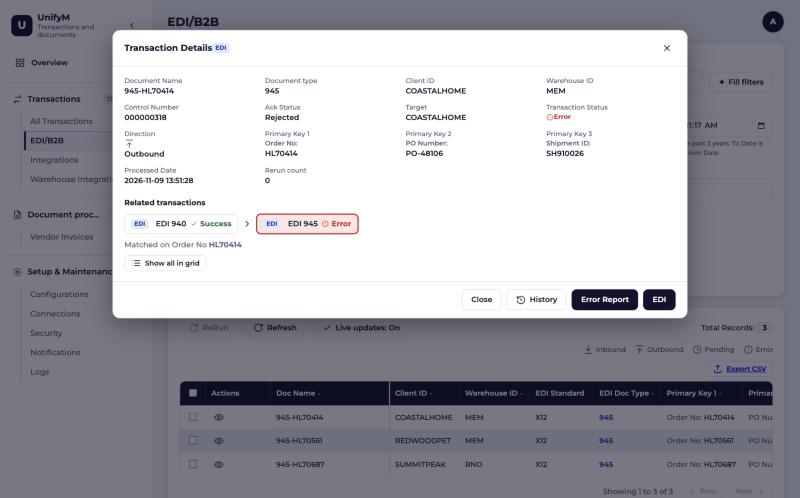
A failed 945, found and fixed
A shipment confirmation failed overnight. Start from the Overview, open the errors, read the 997 rejection and the X12, follow the 940 it belongs to, and rerun it, with the audit entry to show for it.
Show me this liveEvery demo runs on our demo environment with made-up data: a third-party logistics company with warehouse orders (940), receipts (943) and shipment confirmations (945), a WMS, carrier APIs and an order system. Pick the ones you want to see live.
A shipment confirmation failed overnight. Start from the Overview, open the errors, read the 997 rejection and the X12, follow the 940 it belongs to, and rerun it, with the audit entry to show for it.
Show me this live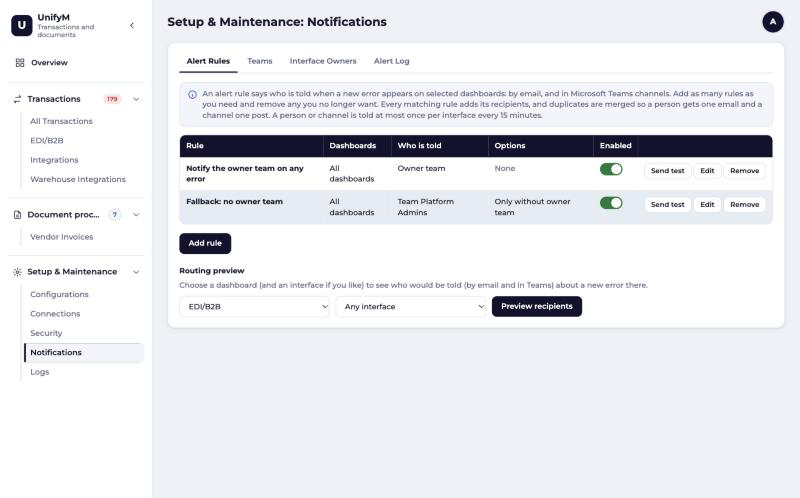
An integration call to the WMS times out. An alert rule routes it to the warehouse team's email and their Microsoft Teams channel, throttled so the next hundred failures do not flood anyone.
Show me this live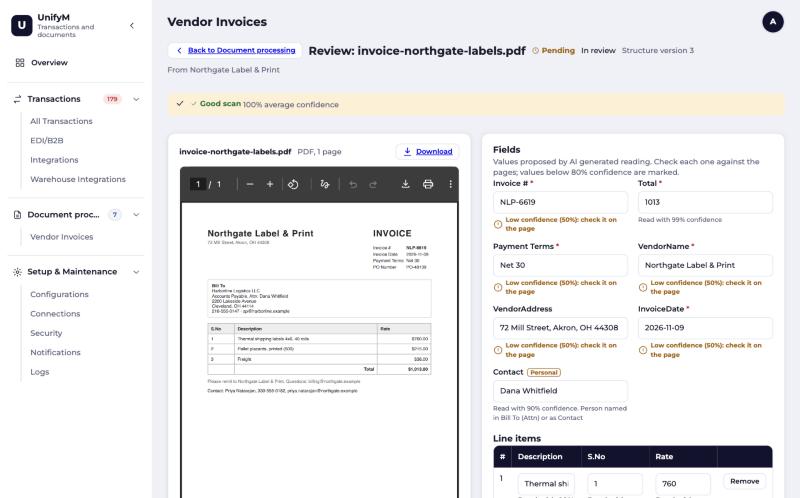
A vendor emails an invoice PDF. UnifyM picks it up from the mailbox, reads it, checks the total and matches the PO number against the purchase orders already in UnifyM. A reviewer corrects one value and approves, and the data is posted to the target system in its own format.
Show me this live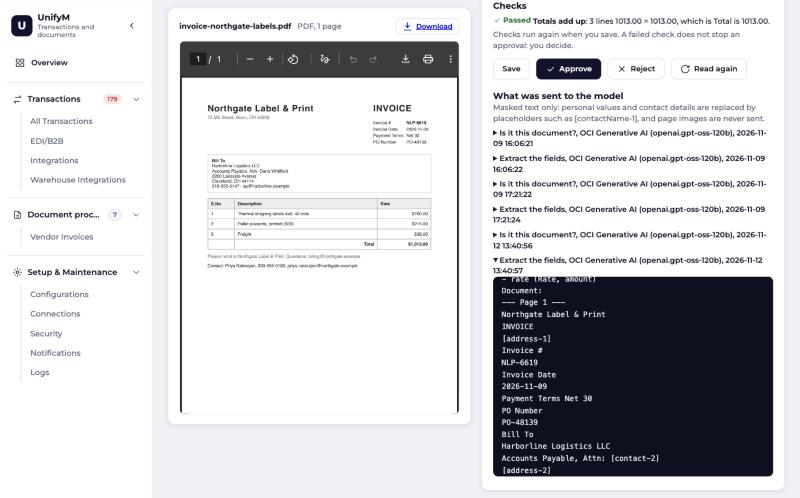
Upload three sample bills of lading. AI proposes the fields and marks the personal ones; the administrator edits, tries it on each sample, adds a check and approves. Then one front door sorts invoices and bills of lading to their own dashboards. See what the model was sent: masked text, no names.
Show me this livePaste a sample JSON record from a carrier event feed. UnifyM detects the fields and generates the dashboard and its capture API; records pushed to it appear in the grid, and a refused one shows its reasons in the ingestion log.
Show me this live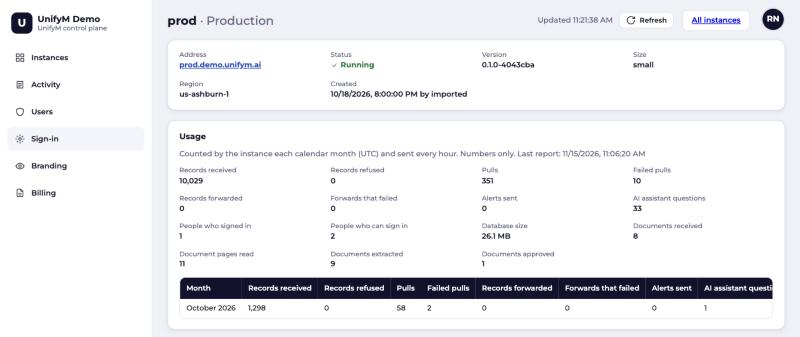
Read an upgrade's plan, set a maintenance window and schedule the upgrade, promote dashboards from test to production after a preview, take a backup, and apply your brand colors with contrast checks.
Show me this liveBring a made-up sample of your hardest document or the identifiers your team searches by, and we will shape the live demo around it. Please do not send real personal data.
Book a demoTalk to the team that builds UnifyM. Book a demo, send us your security questionnaire, or ask what a plan includes.